

News

No More
The Latest
News 2026-07-28 19:30:05
Doorbell Camera vs Security Camera: Complete Comparison Guide

Choosing between a doorbell camera and a security camera can be difficult because both devices are designed to improve home monitoring, but they serve different purposes. Understanding doorbell camera vs security camera helps homeowners choose the right solution based on their property layout, monitoring goals, and daily needs.

A doorbell camera focuses on the front entrance, allowing users to see visitors, communicate remotely, and monitor activity near the door. A security camera provides wider coverage and can be installed in different locations such as gardens, driveways, indoor rooms, and commercial spaces.

In this guide, we compare doorbell cameras and security cameras, explain their differences in features and applications, and explore how CYVIO solutions can help create a smarter home monitoring setup.

What Is a Doorbell Camera?

A doorbell camera is a smart device that combines a traditional doorbell with a built-in camera, microphone, and speaker. It is usually installed near the front door to help users monitor visitors and communicate remotely.

Unlike a standard doorbell, a video doorbell allows homeowners to:

  • View live video

  • Receive activity notifications

  • Talk with visitors

  • Monitor deliveries

  • Check entrance activity remotely

A doorbell camera is designed mainly for front-door monitoring, making it useful for homeowners who want more information about what happens around their entrance.

When comparing video doorbell vs security camera, the main difference is that video doorbells are focused on visitor interaction, while security cameras are designed for broader surveillance.

What Is a Security Camera?

A security camera is a surveillance device designed to monitor specific areas around a property. Unlike doorbell cameras, security cameras can be installed in multiple locations depending on the user's needs.

Common installation areas include:

  • Front yards

  • Backyards

  • Garages

  • Offices

  • Indoor spaces

  • Parking areas

Security cameras are available in different styles, including:

  • Indoor cameras

  • Outdoor cameras

  • Dome cameras

  • Bullet cameras

  • Wireless cameras

  • POE cameras

A doorbell vs security camera comparison shows that security cameras are usually more suitable for users who need wider coverage beyond the front entrance.

Doorbell Camera vs Security Camera: Main Differences

Although both devices provide video monitoring, their designs and purposes are different.

Feature

Doorbell Camera

Security Camera

Main Purpose

Monitor front door activity

Monitor multiple areas

Installation Location

Entrance area

Indoor and outdoor locations

Communication

Two-way visitor communication

Monitoring and recording

Coverage

Focused viewing area

Wider property coverage

Design

Door-mounted device

Multiple camera designs

Best For

Visitors and deliveries

Complete surveillance

Choosing the right option depends on whether you need entrance monitoring or a larger security setup.

Coverage Area: Doorbell Camera vs Security Camera

Doorbell Camera Coverage

A doorbell camera is designed to focus on the area around your front door.

It is useful for:

  • Seeing who is at the door

  • Checking package deliveries

  • Communicating with visitors

  • Monitoring entrance activity

Because it is installed near the entrance, the viewing range is usually optimized for a specific area.

Security Camera Coverage

Security cameras provide more flexible coverage because they can be installed in different locations.

They are suitable for monitoring:

  • Driveways

  • Side entrances

  • Gardens

  • Living rooms

  • Workspaces

  • Large properties

When comparing security camera vs doorbell, security cameras generally offer more options for monitoring different areas around a property.

Installation Comparison

Installing a Doorbell Camera

Doorbell cameras are often easier to install because they are designed for one specific location.

Installation usually includes:

  • Mounting the camera near the door

  • Connecting power or charging the battery

  • Connecting to WiFi

  • Setting up the mobile application

This makes them a convenient choice for homeowners who want a simple entrance monitoring solution.

Installing Security Cameras

Security camera installation depends on the camera type and system requirements.

Some systems may require:

  • Ethernet cables

  • Power connections

  • NVR recording systems

  • Multiple mounting locations

Wireless security cameras can simplify installation, while wired systems may require more planning.

Features Comparison Between Doorbell Cameras and Security Cameras

Two-Way Audio

Two-way audio is one of the most useful features of doorbell cameras.

It allows homeowners to:

  • Speak with visitors

  • Communicate with delivery personnel

  • Respond remotely

Some security cameras also include two-way audio, but it depends on the model.

Motion Detection

Both doorbell cameras and security cameras may include motion detection.

Doorbell cameras usually focus on movement near the entrance, while security cameras can monitor activity across larger areas.

Video Recording

Both solutions may support video recording through:

  • Cloud storage

  • MicroSD cards

  • Local storage systems

  • Network recorders

Storage options depend on the camera model and user preferences.

Smart Doorbell vs Security Camera: Which Is More Suitable?

Many homeowners compare smart doorbell vs security camera when choosing a home monitoring solution.

A smart doorbell may be the better choice if you need:

  • Visitor monitoring

  • Delivery checking

  • Front-door communication

  • Simple installation

A security camera may be more suitable if you need:

  • Multiple viewing locations

  • Indoor and outdoor monitoring

  • Larger coverage areas

  • A complete surveillance system

The right option depends on what areas you want to monitor.

Doorbell Camera vs Full Security System Comparison

A single doorbell camera and a full security system provide different levels of monitoring.

A doorbell camera vs full security system comparison shows the differences clearly:

Doorbell Camera Advantages

  • Focused front-door monitoring

  • Visitor communication

  • Easier installation

  • Compact design

Full Security System Advantages

  • Multiple camera locations

  • Wider property coverage

  • More recording options

  • Custom installation possibilities

For many homeowners, combining a doorbell camera with additional security cameras creates a more complete monitoring solution.

Ring Doorbell vs Ring Security Camera: What Is the Difference?

Brand comparisons are also common when choosing between these devices. The ring doorbell vs ring security camera comparison shows two different approaches to monitoring.

A Ring doorbell is mainly designed for front-door activity, visitor communication, and delivery monitoring.

A Ring security camera is designed for wider surveillance areas such as:

  • Outdoor spaces

  • Rooms

  • Garages

  • Property boundaries

The same difference applies when comparing ring doorbell vs security camera solutions from other brands. The best choice depends on whether you need entrance-focused monitoring or broader coverage.

CYVIO Security Solutions for Smart Home Monitoring

CYVIO provides modern security products designed to support different home monitoring needs.

Whether you need a video doorbell for your entrance or security cameras for wider coverage, CYVIO offers flexible solutions for different environments.

CYVIO Video Doorbell Solutions

CYVIO video doorbells help users:

  • View visitors remotely

  • Communicate through two-way audio

  • Monitor entrance activity

  • Access video through connected devices

CYVIO Security Camera Solutions

CYVIO security cameras provide monitoring options for:

  • Indoor areas

  • Outdoor spaces

  • Driveways

  • Different property locations

By combining different security devices, homeowners can create a monitoring system that matches their specific needs.

Should You Choose a Doorbell Camera or Security Camera?

The best choice depends on your monitoring priorities.

Choose a doorbell camera if you want:

  • Front-door visibility

  • Visitor communication

  • Delivery monitoring

  • Simple setup

Choose security cameras if you need:

  • Wider coverage

  • Multiple camera locations

  • Indoor and outdoor monitoring

  • A complete security setup

In some cases, using both solutions together provides a more flexible approach.

Frequently Asked Questions

1. Is a doorbell camera the same as a security camera?

No. A doorbell camera is a type of smart camera designed mainly for entrance monitoring, while security cameras are designed for broader surveillance.

2. Can a doorbell camera replace security cameras?

A doorbell camera can monitor the front entrance, but additional security cameras may be needed for wider property coverage.

3. Which is better, a doorbell camera or security camera?

It depends on your needs. Doorbell cameras are useful for visitor monitoring, while security cameras provide more flexible coverage.

4. Can I install both a doorbell camera and security cameras?

Yes. Many homeowners combine both solutions to monitor entrances and other important areas.

5. Do all security cameras have two-way audio?

No. Two-way audio depends on the camera model and available features.

Choose the Right Solution After Understanding Doorbell Camera vs Security Camera

Understanding doorbell camera vs security camera helps homeowners select the right monitoring solution based on their property and lifestyle. Doorbell cameras are ideal for entrance monitoring and visitor communication, while security cameras provide wider coverage for different areas.

CYVIO offers smart security solutions designed for modern homes, including video doorbells and security cameras with practical features and flexible installation options. Whether you need to monitor your front door or create a broader surveillance system, choosing the right combination can help build a more connected and convenient home monitoring setup.

News 2026-07-28 19:09:47
Dome vs Bullet Security Cameras: A Complete Guide to Choosing the Right Camera

Choosing the right security camera depends on many factors, including where you want to install it, the area you need to monitor, and the type of coverage you require. Understanding the differences between dome vs bullet security cameras can help homeowners and businesses select a solution that matches their specific monitoring needs.

Dome and bullet cameras are two of the most common security camera designs available today. While both can provide clear video monitoring, they have different shapes, installation methods, viewing advantages, and ideal use cases.

In this guide, we compare dome and bullet security cameras, explain their key differences, and explore how CYVIO security solutions can help create a practical monitoring system for different environments.

What Is a Dome Security Camera?

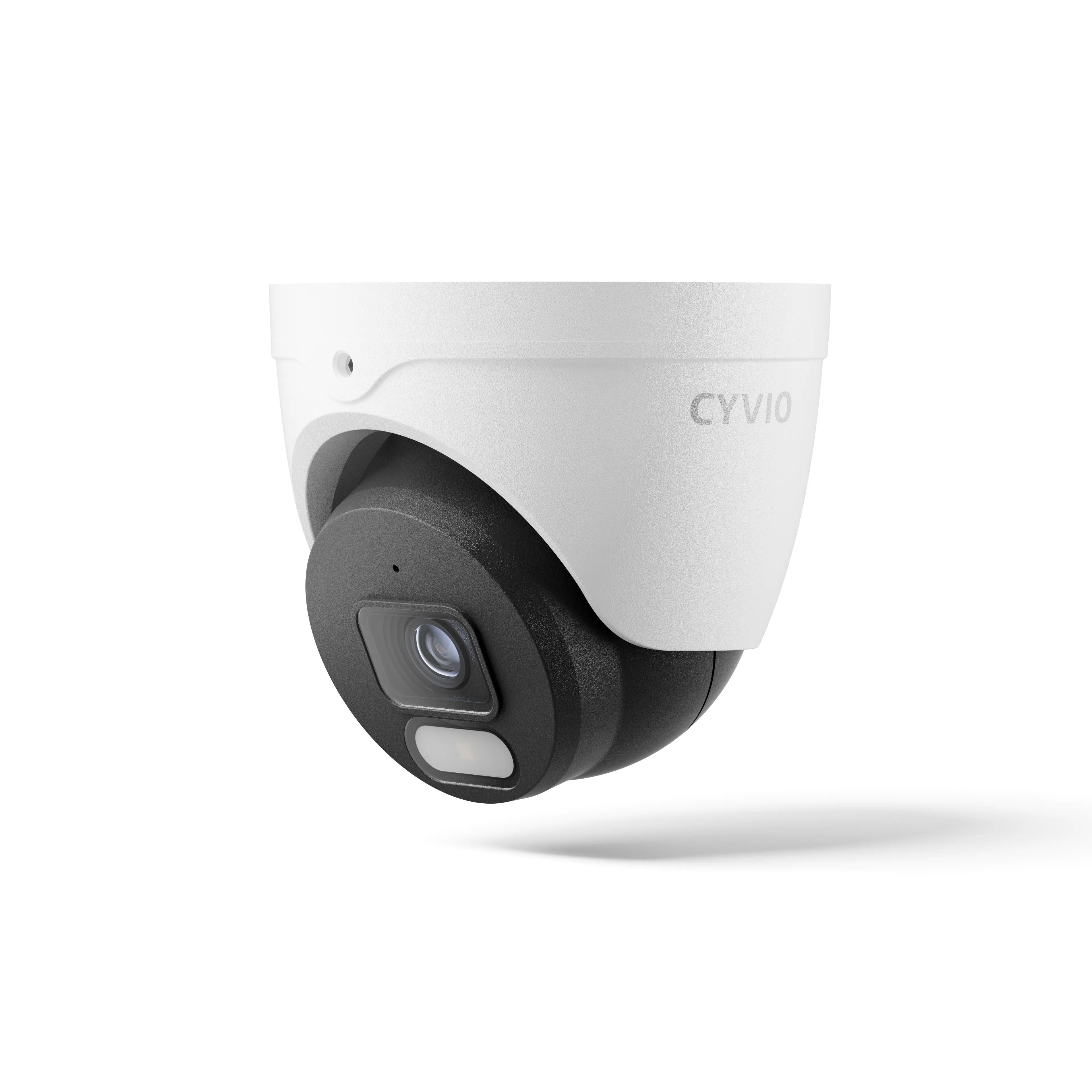
A dome security camera is a surveillance camera with a rounded, dome-shaped housing. The camera lens is placed inside a protective cover, creating a compact design that blends well with many indoor and outdoor environments.

Dome cameras are commonly installed on:

  • Ceilings

  • Walls

  • Offices

  • Retail stores

  • Indoor areas

  • Covered outdoor spaces

The dome design provides a clean appearance while allowing the camera to capture wide viewing areas depending on the model.

A dome security camera vs bullet comparison often highlights dome cameras as a preferred option for users who want a more discreet and compact security solution.

What Is a Bullet Security Camera?

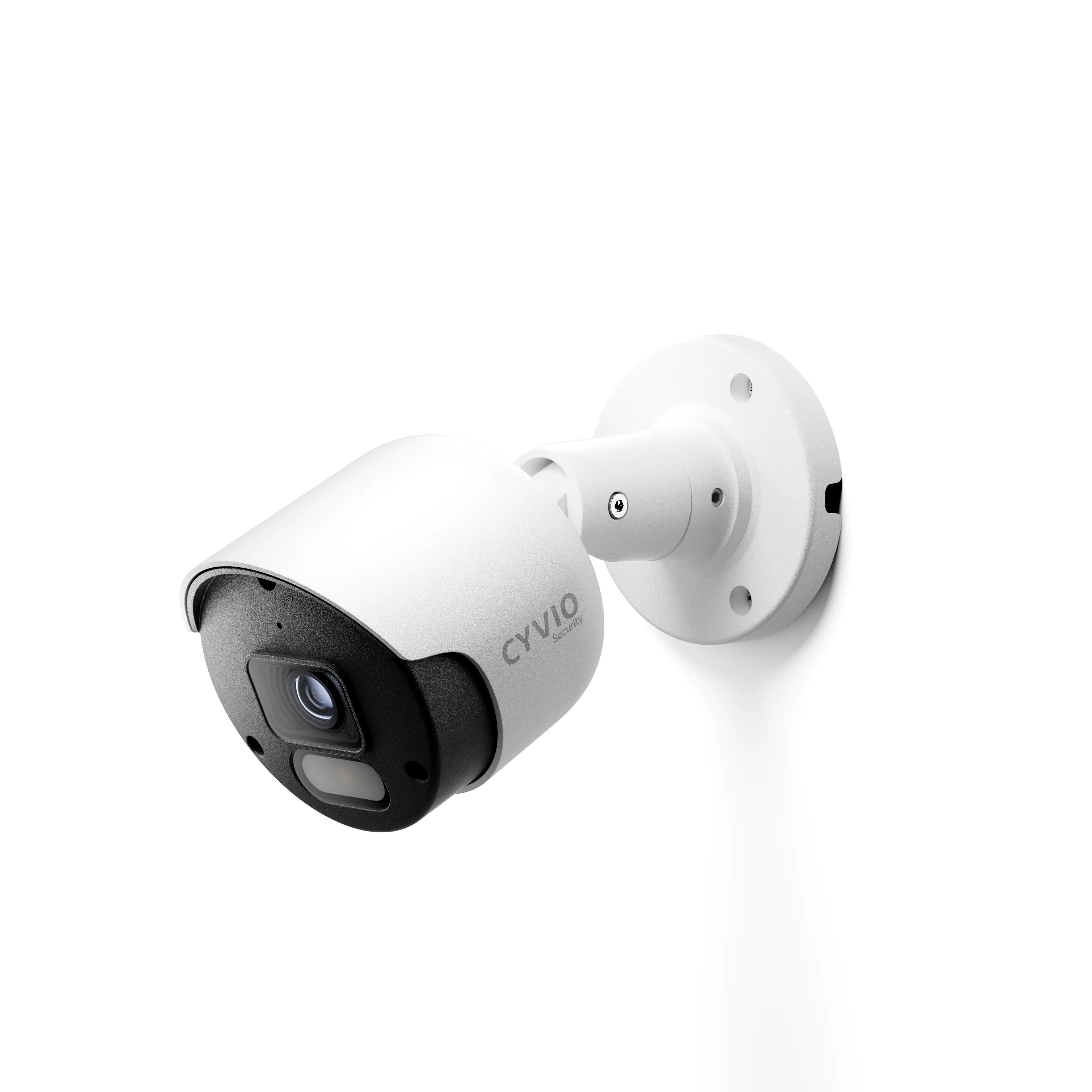
A bullet security camera features a longer cylindrical design that extends outward from its mounting base. This shape allows the camera lens to focus on specific areas, making it commonly used for outdoor monitoring.

Bullet cameras are often installed in locations such as:

  • Driveways

  • Building entrances

  • Parking areas

  • Gardens

  • Large outdoor spaces

Their visible design makes them easy to position toward specific areas that require monitoring.

When comparing bullet security camera vs dome, bullet cameras are often chosen for locations where longer viewing distances and directional coverage are important.

Dome vs Bullet Security Cameras: Key Differences

Although both camera types serve the same purpose, their designs make them suitable for different applications.

Feature

Dome Security Camera

Bullet Security Camera

Design

Rounded and compact

Long cylindrical shape

Installation

Ceiling or wall mounting

Wall or pole mounting

Appearance

More discreet

More visible

Viewing Style

Wide-area monitoring

Directional monitoring

Best For

Indoor spaces and general coverage

Outdoor areas and longer distances

Adjustment

More protected positioning

Easier angle adjustment

Understanding these differences helps users choose a camera style that fits their property layout.

Dome vs Bullet Security Cameras: Design and Appearance

The physical design is one of the biggest differences between dome and bullet cameras.

Dome Camera Design

Dome cameras have a compact shape that allows them to blend into different environments. Their enclosed housing helps protect the camera lens and creates a cleaner installation appearance.

They are commonly used in places where users prefer a less noticeable camera design.

Bullet Camera Design

Bullet cameras have a longer body that clearly shows the direction of the camera lens.

This design makes them suitable for areas where users need targeted monitoring, such as entrances, driveways, or outdoor pathways.

A comparison of bullet vs dome security cameras shows that the best choice depends on whether you need discreet coverage or visible directional monitoring.

Viewing Angle and Coverage Comparison

Dome Security Cameras

Dome cameras are often designed for wider viewing areas. Their compact design allows them to cover general spaces effectively.

They are suitable for:

  • Rooms

  • Hallways

  • Offices

  • Reception areas

Many dome cameras also support adjustable lenses or movement features depending on the model.

Bullet Security Cameras

Bullet cameras are commonly used when monitoring specific directions or longer distances.

They work well for:

  • Driveways

  • Gates

  • Parking spaces

  • Outdoor entrances

The extended camera body makes it easier to position the lens toward a specific area.

Considering a solar-powered camera for your home? Check out: Are Solar-Powered Security Cameras Worth It?

Installation Differences Between Dome and Bullet Cameras

Installing Dome Cameras

Dome cameras are commonly mounted on ceilings or walls.

Advantages include:

  • Compact installation

  • Clean appearance

  • Suitable for indoor environments

  • Protected camera housing

They are often selected for spaces where aesthetics and discreet placement matter.

Installing Bullet Cameras

Bullet cameras are usually mounted on walls, poles, or outdoor structures.

Benefits include:

  • Easier directional adjustment

  • Suitable for outdoor spaces

  • Good for targeted monitoring areas

For outdoor projects, some users compare bullet security camera vs dome tampa options to determine which design fits local weather and installation requirements.

Outdoor Use: Dome vs Bullet Security Cameras

Both dome and bullet cameras can be used outdoors, but their strengths are different.

Bullet Cameras for Outdoor Monitoring

Bullet cameras are commonly preferred for outdoor areas because they can be positioned toward specific locations.

Examples:

  • Driveways

  • Gardens

  • Parking areas

  • Property entrances

Their design makes them suitable for monitoring longer distances.

Not sure how much sunlight your solar camera needs? Read more on: How Much Sunlight Does an Outdoor Solar Security Camera Need?

Dome Cameras for Outdoor Monitoring

Outdoor dome cameras are useful when users want a compact design with wider area coverage.

They can work well in:

  • Covered entrances

  • Outdoor walkways

  • Building exteriors

The choice depends on the area you want to monitor and the type of coverage needed.

Image Quality and Features

Both dome and bullet cameras can include modern security features such as:

  • HD video resolution

  • Night vision

  • Motion detection

  • Remote viewing

  • Smart notifications

  • Weather-resistant designs

The camera type does not determine image quality by itself. Resolution, lens quality, lighting conditions, and technology features also play important roles.

CYVIO security cameras combine practical designs with smart monitoring features to support different home and business applications.

Considering a solar-powered camera for your home? Check out: Are Solar-Powered Security Cameras Worth It?

Dome vs Bullet Security Cameras Tampa: Choosing Based on Environment

When selecting cameras for specific locations, environmental conditions should be considered.

For areas with changing weather conditions, users should look for:

  • Weather-resistant housing

  • Suitable mounting options

  • Proper camera placement

  • Reliable connectivity

A dome vs bullet security cameras tampa comparison often focuses on selecting a camera design that matches outdoor conditions, property layout, and monitoring goals.

=> Check out our poe security camera collection!

CYVIO Security Camera Solutions for Different Needs

CYVIO provides smart security camera solutions designed for homeowners and businesses looking for flexible monitoring options.

Whether you need a compact camera for indoor spaces or a directional camera for outdoor areas, CYVIO products are designed to support different installation requirements.

CYVIO solutions offer:

Flexible Camera Options

Different camera designs allow users to choose based on location, coverage area, and monitoring preferences.

Smart Monitoring Features

CYVIO cameras support modern features such as:

  • Remote viewing

  • Clear video monitoring

  • Motion detection options

  • Convenient management

Home and Business Applications

CYVIO security cameras can be used for:

  • Residential monitoring

  • Office spaces

  • Outdoor areas

  • Commercial locations

Explore CYVIO security camera solutions to find the right option for your monitoring setup.

How to Choose Between Dome and Bullet Security Cameras?

Before choosing a camera type, consider these factors:

1. Installation Location

Choose based on where the camera will be installed:

  • Indoor spaces → Dome cameras are often suitable

  • Outdoor targeted areas → Bullet cameras may be preferred

2. Viewing Requirements

Consider whether you need:

  • Wide-area coverage

  • Directional monitoring

  • Long-distance viewing

3. Camera Appearance

Think about whether you prefer:

  • A compact, discreet design

  • A visible camera that clearly shows monitoring direction

4. Maintenance Needs

Consider accessibility, cleaning, adjustment, and long-term use when selecting a camera style.

Frequently Asked Questions

1. Are dome cameras better than bullet cameras?

Neither design is better for every situation. Dome cameras are often suitable for wider and more discreet monitoring, while bullet cameras are useful for directional outdoor coverage.

2. Are bullet cameras good for outdoor use?

Yes. Bullet cameras are commonly used outdoors because their design works well for monitoring specific areas.

3. Can dome cameras be installed outdoors?

Yes. Outdoor-rated dome cameras can be installed in suitable exterior locations.

4. Which camera has a wider viewing angle?

Many dome cameras are designed for wider-area coverage, while bullet cameras are often better for focused monitoring.

5. Can I use both dome and bullet cameras together?

Yes. Many security systems combine both camera types depending on the monitoring needs of different areas.

Choose the Right Option With Dome vs Bullet Security Cameras

Understanding dome vs bullet security cameras helps homeowners and businesses choose the right camera design based on location, coverage needs, and installation preferences. Dome cameras offer a compact design with broad monitoring options, while bullet cameras provide directional coverage that works well for outdoor areas.

CYVIO offers reliable security camera solutions designed for different environments and monitoring requirements. Whether you need indoor coverage, outdoor surveillance, or a customized setup, choosing the right camera type can help you build a more practical and connected security system.

News 2026-07-28 18:44:31
Wired vs Wireless Security Cameras: A Complete Guide to Choosing the Right System

Choosing between wired and wireless security cameras can be confusing, especially with many options available for modern homes and businesses. Understanding the differences between wired vs wireless security cameras helps you select a system that matches your installation needs, monitoring goals, and property environment.

Wired cameras are known for stable connections and reliable performance, while wireless cameras offer flexible installation and easier setup. Each option has different advantages depending on factors such as location, maintenance, video quality, and long-term use.

In this guide, we compare wired and wireless security cameras, explain how each system works, and explore how CYVIO security solutions can help you create a practical monitoring setup for your property.

What Are Wired Security Cameras?

Wired security cameras are surveillance devices that connect to a recording system or network through physical cables. These cables usually provide power and transmit video data between the camera and the recording device.

A typical wired security system includes:

  • Security cameras

  • Ethernet cables or coaxial cables

  • Network video recorder (NVR) or digital video recorder (DVR)

  • Power supply

  • Monitoring device or mobile application

Because wired cameras use direct connections, they are commonly used in homes, offices, warehouses, and commercial properties that require a more permanent installation.

A wired vs wireless security camera system comparison often highlights wired cameras as a strong option for users who prioritize stable connections and consistent performance.

Worried about cold weather affecting your solar camera? Check out: Do Solar Security Cameras Work in Winter?

What Are Wireless Security Cameras?

Wireless security cameras use WiFi or other wireless technologies to transmit video data without requiring traditional video cables. Most wireless cameras still need a power source unless they use rechargeable batteries.

A wireless security setup typically includes:

  • Wireless camera

  • WiFi network connection

  • Mobile application

  • Cloud or local storage options

The main advantage of wireless cameras is installation flexibility. They can be placed in more locations without running long cables throughout the property.

For users deciding between wired or wireless security cameras, wireless models are often preferred when easier installation and flexible placement are important.

=> Check out our wifi security camera collection!

Wired vs Wireless Security Cameras: Key Differences

Understanding the main differences between wired and wireless systems can make the decision process easier.

Feature

Wired Security Cameras

Wireless Security Cameras

Connection

Ethernet or cable connection

WiFi connection

Installation

Requires cable setup

Easier installation

Reliability

Stable wired connection

Depends on wireless signal

Placement

More fixed locations

Flexible placement

Power Supply

Direct power connection

Battery or power adapter

Maintenance

Less frequent adjustments

Battery charging may be needed

Best For

Permanent monitoring systems

Flexible home monitoring

Both systems can provide effective monitoring, but the better choice depends on your property layout and security requirements.

=> Check out our battery powered security camera collection

Wired vs Wireless Cameras: Installation Comparison

Wired Camera Installation

Wired cameras require cables to connect cameras with power sources and recording devices.

Advantages include:

  • Stable connection

  • Organized long-term setup

  • Suitable for multiple cameras

  • Reliable video transmission

However, installation may require more planning, especially for properties where cables need to run through walls or ceilings.

Want to connect your camera to your phone? Read more on: How to Connect WiFi Camera to Mobile

Wireless Camera Installation

Wireless cameras are generally easier to install because they rely on WiFi connections instead of video cables.

Benefits include:

  • Faster setup

  • Flexible placement

  • Easier repositioning

  • Suitable for apartments and smaller properties

A comparison of wired vs wireless cameras shows that wireless systems are often more convenient for users who want a simpler installation process.

Reliability and Connection Stability

Connection reliability is one of the biggest differences between wired and wireless systems.

Wired cameras use direct cable connections, reducing dependence on wireless network conditions. This makes them suitable for locations where consistent video transmission is important.

Wireless cameras rely on WiFi signals, meaning performance can be affected by network strength, distance from the router, and possible interference.

When comparing wireless security cameras vs wired security cameras, users should consider their property size and network environment before making a decision.

Learn how surveillance can improve security. Read more on: Benefits of Video Surveillance

Video Quality and Recording Performance

Both wired and wireless cameras can support high-quality video recording, including HD, 2K, and 4K resolutions.

The video quality depends on:

  • Camera resolution

  • Lens quality

  • Lighting conditions

  • Network performance

  • Storage system

Wired systems may provide more consistent video transmission because they use direct connections, while wireless systems depend more on network conditions.

For homeowners looking for modern solutions, CYVIO offers smart security cameras designed to provide clear monitoring with practical features for everyday use.

Security Camera Systems Wireless vs Wired: Which Is Better for Different Locations?

The best camera system depends on where you plan to install it.

Homes and Apartments

Wireless cameras are often suitable for homes because they offer easier installation and flexible placement.

Common uses include:

  • Living rooms

  • Front entrances

  • Baby monitoring

  • Pet monitoring

Large Properties and Businesses

Wired systems may be more suitable for larger properties that require multiple cameras and permanent installation.

Common locations include:

  • Offices

  • Warehouses

  • Retail spaces

  • Parking areas

A security camera systems wireless vs wired comparison shows that both options have different strengths depending on the environment.

Wireless Camera Remote vs Wired Remote Advantages

Remote access is an important feature in modern security systems.

Wireless camera remote advantages include:

  • Easy mobile access

  • Flexible installation

  • Simple setup

  • Convenient repositioning

Wired camera systems can also provide remote access when connected to an NVR and network system.

When comparing wireless camera remote vs wired remote advantages, the main difference is usually installation flexibility rather than remote viewing capability.

Considering a solar-powered camera for your home? Check out: Are Solar-Powered Security Cameras Worth It?

Are Wired or Wireless Security Cameras Better for Home Use?

Many homeowners ask whether they should choose wired or wireless cameras for their property.

Wireless cameras are often suitable for users who want:

  • Quick installation

  • Flexible placement

  • Simple monitoring

Wired cameras may be preferred by users who need:

  • Permanent installation

  • Multiple camera coverage

  • Stable connections

The best option depends on your home layout, monitoring goals, and future expansion plans.

Want to connect your camera to your phone? Read more on: How to Connect WiFi Camera to Mobile

CYVIO Security Camera Solutions for Modern Homes

CYVIO provides smart security camera solutions designed to support different monitoring needs.

Whether you prefer wired reliability or wireless flexibility, CYVIO offers products that help users create a practical home monitoring system.

CYVIO solutions include:

Flexible Installation Options

CYVIO cameras are designed to fit different environments, from indoor spaces to outdoor areas.

Smart Monitoring Features

Users can benefit from features such as:

  • Remote viewing

  • Motion detection

  • High-quality video

  • Mobile access

Solutions for Different Security Needs

CYVIO products support various applications, including:

  • Home monitoring

  • Outdoor surveillance

  • Door monitoring

  • Smart home setups

Explore CYVIO security camera solutions to find the right option for your property.

Ready to Find the Right Security Camera? Whether you prefer the reliability of a wired system or the flexibility of a wireless camera, CYVIO offers security solutions for different homes and monitoring needs. 

How to Choose Between Wired and Wireless Security Cameras?

Before choosing a system, consider these factors:

1. Installation Location

Think about where cameras will be installed and whether running cables is practical.

2. Property Size

Large properties may benefit from wired systems, while smaller homes may prefer wireless flexibility.

3. Maintenance Preferences

Consider whether you prefer:

  • A fixed installation with less adjustment

  • Flexible placement with occasional battery maintenance

4. Future Expansion

Choose a system that can support additional cameras if your monitoring needs grow.

Frequently Asked Questions

1. Are wired security cameras better than wireless cameras?

Wired cameras offer stable connections, while wireless cameras provide easier installation. The better choice depends on your specific needs.

2. Can wireless cameras work without WiFi?

Most wireless cameras require WiFi for remote access and smart features. Some models may support local recording options.

3. Do wired cameras require internet?

Wired cameras can record locally without internet, but internet access is usually needed for remote viewing.

4. Which is easier to install: wired or wireless cameras?

Wireless cameras are generally easier to install because they require fewer cables.

5. Can I mix wired and wireless security cameras?

Some systems support a combination of wired and wireless cameras, depending on compatibility and recording equipment.

Worried about cold weather affecting your solar camera? Check out: Do Solar Security Cameras Work in Winter?

Choose the Right Option After Understanding Wired vs Wireless Security Cameras

Understanding wired vs wireless security cameras helps you choose a surveillance system that matches your home, business, and monitoring preferences. Wired cameras provide stable connections and are suitable for permanent installations, while wireless cameras offer flexibility and easier setup.

CYVIO provides smart security camera solutions designed for modern users who need reliable monitoring, convenient features, and flexible options. Whether you choose wired or wireless technology, selecting the right camera system can help you create a more practical and connected security setup for your property.


News 2026-07-27 20:10:27
What Is POE Security Camera? A Complete Guide to POE Surveillance Systems

With so many security camera options available today, choosing the right system can feel overwhelming. But understanding what is poe security camera can help you discover why many homeowners and businesses are turning to this technology for a more reliable monitoring solution.

Unlike traditional cameras that require separate power and data cables, a POE (Power over Ethernet) security camera uses a single Ethernet cable to deliver both power and video transmission. This smart design simplifies installation, keeps your setup organized, and provides a stable connection for continuous monitoring.

Whether you are upgrading your home security or building a professional surveillance system, CYVIO POE security camera solutions offer a practical combination of clear video quality, reliable wired performance, and flexible installation options to meet different monitoring needs.

What Is a POE Security Camera?

A POE security camera is an IP camera that receives power and transfers video data through the same Ethernet cable. Instead of requiring separate cables for electricity and network connection, POE technology combines both functions into one cable, making installation cleaner and more efficient.

For users wondering what is a poe security camera, it is essentially a network-based surveillance camera that connects to a POE switch or NVR system to receive power and send recorded video.

A typical POE security camera system includes:

  • POE cameras

  • Ethernet cables (such as Cat5e or Cat6)

  • POE switch or POE NVR

  • Storage device

  • Monitoring application or display

This setup is commonly used in homes, offices, warehouses, retail stores, and other locations that require continuous video monitoring.

What Does POE Mean in Security Cameras?

POE stands for Power over Ethernet, a technology that allows electrical power and network data to travel through the same Ethernet cable.

When asking what does poe mean in security cameras, it refers to the ability of a camera to receive power directly from the network cable instead of needing a separate electrical connection.

The main components involved in POE technology include:

POE Camera

The camera receives power and sends video data through an Ethernet connection.

Ethernet Cable

The cable transfers both electricity and network information between devices.

POE Switch

A POE switch supplies power to connected cameras while managing network communication.

NVR System

A network video recorder stores and manages recorded footage from connected cameras.

This simplified structure helps reduce installation complexity and creates a more organized security system.

How Does a POE Security Camera System Work?

A POE camera system works by connecting cameras to a POE-enabled network device, such as a POE switch or NVR.

The process works as follows:

  1. The POE switch or NVR sends electrical power through the Ethernet cable.

  2. The camera receives power and activates.

  3. The camera captures video footage.

  4. Video data is transmitted through the same cable.

  5. The recording system stores and manages footage.

Because power and data use one cable, POE systems can provide a cleaner installation compared with traditional security setups that require separate wiring.

Benefits of Using POE Security Cameras

1. Stable Wired Connection

One of the main advantages of POE cameras is their wired network connection. Ethernet cables provide consistent communication between cameras and recording devices.

Compared with wireless systems, POE cameras are less affected by WiFi signal limitations, making them suitable for locations where connection stability is important.

2. Simple Cable Management

Traditional camera installations may require separate cables for power and video transmission. POE technology reduces cable clutter by combining both functions into one Ethernet cable.

This makes installation cleaner and easier to manage, especially when setting up multiple cameras around a property.

3. High-Quality Video Performance

Many POE cameras support high-resolution recording, including Full HD, 2K, and 4K options.

Higher resolution helps capture clearer details, which can be useful for monitoring entrances, driveways, offices, and larger areas.

For users searching for a best home security camera system poe, choosing a system with suitable resolution, storage capacity, and camera coverage is important.

4. Flexible Installation for Different Properties

POE cameras can be installed in various environments, including:

  • Residential homes

  • Offices

  • Commercial buildings

  • Warehouses

  • Outdoor areas

The ability to transmit power and data through Ethernet cables makes POE systems suitable for both small and larger surveillance projects.

Are POE Security Cameras Better?

Many users ask are poe security cameras better because they want to compare POE systems with other security camera options.

POE cameras provide several advantages, including:

  • More stable wired connections

  • Reliable power supply

  • Better cable organization

  • Support for high-resolution cameras

  • Suitable for larger installations

However, the best choice depends on your specific needs. POE systems are often preferred for users who want a permanent surveillance setup with reliable performance, while wireless cameras may be more convenient for smaller spaces or temporary monitoring.

Are POE Security Cameras Better Than WiFi Cameras?

A common comparison is are poe security cameras better than wifi cameras.

Both technologies have different advantages:

Feature

POE Security Camera

WiFi Security Camera

Connection

Ethernet cable

Wireless network

Power Supply

Ethernet cable provides power

Battery or power adapter

Stability

Stable wired connection

Depends on WiFi quality

Installation

Requires cable setup

Easier wireless installation

Best For

Homes, businesses, large properties

Flexible home monitoring

POE cameras are generally suitable for users who prioritize stable connections and permanent installations. WiFi cameras may be a better option for users who prefer quick setup and flexible placement.

Planning a PoE camera setup? Check out this guide: Installing PoE Security Cameras

Are POE Security Cameras Interchangeable?

Many users wonder are poe security cameras interchangeable when upgrading or expanding their systems.

In general, POE cameras can work with different compatible network devices, but compatibility depends on several factors, including:

  • Camera brand compatibility

  • Video format support

  • NVR compatibility

  • Network standards

  • Power requirements

Before replacing or adding cameras, users should check whether the new camera supports the same protocols and recording system.

Using compatible equipment helps ensure smoother operation and better system management.

CYVIO POE Security Camera System for Reliable Monitoring

CYVIO provides POE security camera solutions designed for users who want a stable wired monitoring system with practical features.

The CYVIO POE Security Camera System offers:

Reliable Ethernet Connection

POE technology allows cameras to receive power and transmit video through one cable, helping create a cleaner installation.

High-Quality Monitoring

CYVIO cameras are designed to provide clear video for monitoring important areas around homes and properties.

Flexible Security Setup

The system can be adapted for different environments, including:

  • Homes

  • Offices

  • Outdoor areas

  • Commercial spaces

Easier System Management

With organized wired connections and compatible recording options, CYVIO helps users create a more manageable surveillance setup.

Explore the CYVIO POE Security Camera System collection to find a wired security solution that fits your monitoring requirements.

How to Choose the Right POE Security Camera System?

Before purchasing a POE camera system, consider these important factors:

1. Camera Resolution

Choose a resolution based on your monitoring needs:

  • 1080p for general monitoring

  • 2K for improved details

  • 4K for larger areas requiring clearer images

2. Storage Capacity

Consider how much recorded footage you need to store.

Storage options may include:

  • NVR hard drives

  • Local storage

  • Network storage solutions

3. Camera Location

Think about where cameras will be installed:

  • Indoor areas

  • Outdoor entrances

  • Driveways

  • Large property areas

Different locations may require different camera designs and features.

4. Network Equipment Compatibility

Ensure that your POE switch, NVR, and cameras support compatible standards for smooth operation.

Frequently Asked Questions About POE Security Cameras

1. Do POE cameras need a power cable?

No. POE cameras receive power through the Ethernet cable, which also transfers video data.

2. Can POE cameras work without internet?

Yes. Many POE systems can record locally through an NVR without requiring internet access.

3. Are POE cameras good for home use?

Yes. POE cameras can be used for homes, especially when users want stable connections and permanent installation.

4. How far can POE cameras be installed from the recorder?

The distance depends on the Ethernet cable type and network equipment, but standard Ethernet connections typically support long cable runs suitable for many residential and commercial setups.

5. Can I expand my POE camera system later?

Yes. A POE system can usually be expanded by adding compatible cameras and ensuring the recording system supports additional devices.

Want to understand security camera storage time? Check out: How Many Days Can a Security Camera Record?

Understand What Is POE Security Camera Before Choosing Your System

Understanding what is poe security camera helps users choose a surveillance solution that matches their security needs. By combining power and data transmission through one Ethernet cable, POE cameras provide a practical option for users who want stable connections, organized installation, and high-quality video monitoring.

CYVIO offers reliable POE security camera systems designed for modern homes and businesses. Whether you are building a new surveillance setup or upgrading an existing system, explore CYVIO POE solutions to create a more flexible and efficient monitoring experience.

1 … 5 6 7 8 9 … 12