













How Much Sunlight Does Outdoor Solar Security Camera Need?

Solar-powered security cameras can make outdoor monitoring easier because they use sunlight to recharge their internal batteries instead of depending entirely on wired power. But before installing one, there is an important question to answer: how much sunlight does outdoor solar security camera need to keep working effectively?
There is no single number that applies to every model. As a practical starting point, many outdoor solar cameras perform well when their solar panels receive around 2 to 4 hours of direct sunlight per day, while some manufacturers recommend longer exposure and certain high-efficiency models may require less. The actual requirement depends on solar panel output, battery capacity, camera activity, recording settings, weather, season, and installation angle.
That means a camera receiving two hours of strong midday sun may charge more effectively than one receiving several hours of weak, indirect light beneath a roof overhang.
In this guide, we explain how much sunlight solar cameras typically need, whether direct sunlight is necessary, how clouds and shade affect charging, and how to position a solar-powered system such as the CYVIO N1814 for more effective outdoor use.
How Do Solar Security Cameras Get Their Power?
A solar security camera normally combines three main components:
-
A solar panel
-
A rechargeable battery
-
The camera itself
During daylight hours, photovoltaic cells inside the solar panel convert sunlight into electrical energy. That energy can recharge the camera's battery, which then supplies power when sunlight is weak or unavailable.
This is important because the camera does not usually operate directly from sunlight alone.
Its battery provides the energy needed during:
-
Nighttime
-
Cloudy weather
-
Rainy periods
-
Temporary shade
-
Periods of increased camera activity
The solar panel's main job is therefore to replenish enough energy to compensate for what the camera consumes.
Whether that happens successfully depends on the balance between energy generated and energy used.
Read more on: Where to Place Security Cameras
How Many Hours of Sunlight Does a Solar Security Camera Need?
A practical general guideline is approximately 2–4 hours of good direct sunlight each day, but model-specific recommendations vary considerably.
For example, Reolink's 2026 solar camera guide uses 2–4 hours of direct sunlight as a general benchmark for many outdoor solar cameras. Zetronix suggests that many systems may benefit from approximately 4–6 hours, while Wyze states that its Solar Cam Pan 2K can maintain normal operation with around one hour of direct sunlight under typical usage conditions.
This variation happens because cameras differ in:
-
Solar panel wattage
-
Battery capacity
-
Camera resolution
-
Recording frequency
-
Motion detection activity
-
Night vision use
-
Wireless signal strength
-
Live-view frequency
-
Local climate
So rather than asking only how many hours of daylight your property receives, consider how many hours the solar panel itself receives strong, unobstructed sunlight.
Check out this guide: Security Camera Installation
Do Solar Cameras Need Direct Sunlight?
People often ask do solar cameras need direct sunlight, especially when the installation area receives plenty of daylight but is partially shaded.
Direct sunlight is strongly preferred.
A solar panel can still generate some electricity from diffuse or indirect daylight, but output is normally lower than when sunlight reaches the panel directly. Reolink specifically distinguishes direct sunlight from a bright but shaded location and recommends evaluating actual direct exposure when planning a solar camera installation.
For example:
Good Solar Exposure
The panel receives direct sunlight for several hours with no trees, roofs, or walls blocking the sun.
Moderate Solar Exposure
The panel receives direct sunlight for part of the day but becomes shaded later.
Poor Solar Exposure
The panel sits beneath:
-
A roof overhang
-
Dense trees
-
A covered porch
-
Deep building shade
even though the surrounding area still looks bright.
The third situation may produce much less usable charging energy.
Do Solar Powered Security Cameras Need Direct Sunlight?
The answer to do solar powered security cameras need direct sunlight is slightly more nuanced than simply yes or no.
They can often charge somewhat in indirect light, but direct sunlight generally provides more efficient charging.
Think of the battery as an energy reserve.
If the camera uses relatively little power and has a large battery, occasional cloudy weather may not cause an immediate problem. But if the solar panel remains shaded for days while the camera frequently records motion events, the battery can gradually lose charge.
This is why solar camera manufacturers normally recommend installing the panel where sunlight is unobstructed for at least part of the day. Wyze, for example, specifies direct sunlight for its solar camera guidance, while Reolink also emphasizes unobstructed exposure.
Check out this guide to learn more: What to Look for in a Home Security Camera
Do Solar Security Cameras Need Direct Sunlight Every Day?
If you're wondering do solar security cameras need direct sunlight every single day, short periods of cloud or rain do not necessarily mean the camera immediately stops operating.
Solar security cameras typically use rechargeable batteries as an energy buffer.
On a sunny day:
Solar panel → Battery charges → Camera uses stored energy
During cloudy weather:
Lower solar input → Camera draws more heavily from battery
At night:
No solar input → Camera runs from stored battery power
This means a properly charged camera may continue operating through temporary low-sunlight periods.
However, several consecutive days of poor solar input can gradually reduce the battery level, particularly when camera activity is high.
Want to understand the technology behind surveillance? Read more on: How Do Security Cameras Work?
Direct Sunlight vs Daylight: What's the Difference?
One common installation mistake is assuming that bright daylight equals useful solar charging.
It does not necessarily.
Direct Sunlight
Sun rays reach the solar panel without significant obstruction.
Indirect Sunlight
The area is bright, but direct sunlight is blocked by:
-
Clouds
-
Trees
-
Buildings
-
Roofs
-
Other structures
Shade
The panel receives mainly diffuse environmental light.
A camera under an eave may look like it is in a bright outdoor location, but its solar panel could receive very little direct sun.
This distinction explains why camera placement and solar-panel placement sometimes need to be treated separately.
What Determines How Much Sunlight Your Solar Camera Needs?
Several factors influence solar charging requirements.
1. Solar Panel Size and Output
A higher-output panel can generate more electrical energy during the same period of good sunlight.
This means two cameras receiving identical sunlight may charge at different rates because their solar panels are different.
Panel efficiency also matters.
A solar panel capable of converting more incoming solar energy into electricity can require less exposure than a less efficient panel under similar conditions.
2. Battery Capacity
Battery size determines how much stored energy is available when sunlight is limited.
A larger battery can provide a bigger reserve during:
-
Cloudy days
-
Rain
-
Winter
-
Nighttime
-
Periods of temporary shade
CYVIO's N1814, for example, uses an 11,600mAh rechargeable battery combined with solar charging, providing a relatively large energy reserve for its outdoor camera system.
A large battery does not eliminate the need for solar charging, but it can provide more flexibility during temporary low-sun periods.
3. How Often the Camera Records
Camera activity directly influences energy consumption.
A camera that records only occasional motion events generally consumes less battery power than a camera frequently activated by movement.
High-activity areas may include:
-
Busy roads
-
Driveways
-
Sidewalks
-
Tree branches moving in the wind
-
Areas with frequent animal activity
If a battery camera repeatedly wakes up, records video, sends notifications, and activates night lighting, it may need more solar energy to replace that consumed power.
4. Camera Resolution
Higher-resolution video requires more processing.
A 4K camera, for example, handles considerably more image data than a basic lower-resolution camera.
Resolution alone does not determine battery consumption, but it contributes to the camera's overall workload together with:
-
Frame rate
-
Compression
-
Recording length
-
Night vision
-
AI processing
CYVIO's N1814 records at 4K/8MP and combines that resolution with solar charging and an 11,600mAh battery.
5. Motion Detection Settings
Sensitivity settings can strongly affect battery use.
If motion sensitivity is too high, the camera may activate because of:
-
Leaves
-
Shadows
-
Animals
-
Passing traffic
-
Rain
-
Frequent movement outside the important monitoring zone
Reducing unnecessary triggers can help lower camera activity and therefore reduce the amount of solar energy needed to replenish the battery.
6. Night Vision and Spotlights
Outdoor cameras frequently consume additional power after dark.
Depending on the model, nighttime monitoring may use:
-
Infrared LEDs
-
White-light spotlights
-
Color night vision
-
Motion-triggered lighting
If these features activate frequently, battery consumption may increase.
How Cloudy Weather Affects Solar Security Cameras
Solar panels can still generate electricity under cloudy skies, but charging is usually slower than in strong direct sunlight.
During cloudy weather, sunlight is scattered by clouds before reaching the panel.
The camera therefore relies more heavily on stored battery energy.
Short cloudy periods are generally less problematic when the battery already has a healthy charge. Longer periods can become more challenging, particularly when:
-
Motion activity is frequent
-
Live viewing is used often
-
Night lighting activates frequently
-
The panel is already partially shaded
Reolink notes that solar cameras can continue operating through cloudy periods by drawing from battery reserves, though solar output drops when direct sunlight is limited.
Not sure how many cameras your home needs? Check out: How Many Security Cameras Do I Need?
Can Solar Security Cameras Work in Rain?
Rain itself does not provide useful solar energy, but a camera can continue drawing power from its rechargeable battery.
This is another reason battery capacity matters.
Several rainy days may result in declining battery levels if very little solar charging occurs.
After the weather improves, the panel can begin replenishing the battery again.
For outdoor installations, also check the camera's weather-resistance rating. The CYVIO N1814 is currently listed with an IP66 weatherproof rating for outdoor operation.
How Winter Affects Solar Camera Charging
Winter can create several challenges:
-
Shorter daylight hours
-
Lower sun angle
-
More shadows
-
More cloud cover in some climates
-
Snow covering the solar panel
-
Changes in battery performance at low temperatures
A location that receives strong solar exposure during summer may receive substantially less during winter.
This is why solar-camera placement should ideally be evaluated based on the least sunny season, not only on summer conditions.
Reolink recommends checking seasonal sunlight because peak sun hours can vary significantly throughout the year.
What Are Peak Sun Hours?
“Peak sun hours” are not simply the number of hours between sunrise and sunset.
They describe the equivalent amount of strong solar energy received during the day.
For example, a location could experience:
-
10 hours of daylight
-
But only around 3 effective peak sun hours
because the morning and evening sun is weaker and the panel may receive shade for part of the day.
When evaluating a solar camera location, peak solar exposure is therefore more meaningful than total daylight duration.
Where Should You Install the Solar Panel?
The best solar-panel location is usually somewhere with long periods of unobstructed sunlight.
Avoid locations directly beneath:
-
Roof overhangs
-
Trees
-
Gutters
-
Balconies
-
Large signs
-
Nearby structures
Also look at how shadows move throughout the day.
A location that is sunny at 9 AM may be completely shaded by noon.
Before mounting permanently, check the location during several periods:
-
Morning
-
Midday
-
Afternoon
This gives you a better understanding of actual daily solar exposure.
Which Direction Should a Solar Security Camera Panel Face?
Orientation depends on where you live.
As a general solar-panel principle:
-
Northern Hemisphere: panels commonly benefit from facing generally south.
-
Southern Hemisphere: panels commonly benefit from facing generally north.
The goal is to position the panel toward the sun's main path across the sky.
Reolink similarly recommends orientation toward the equator when planning year-round solar exposure.
However, local obstacles may matter more than theoretical orientation. A slightly different direction with unobstructed sunlight may perform better than the ideal compass direction blocked by a tree or neighboring building.
Does Solar Panel Angle Matter?
Yes.
A solar panel produces better results when sunlight reaches its surface at an effective angle.
If the panel is mounted almost vertically while the sun is high overhead, energy collection may decrease.
Likewise, laying the panel completely flat may not be ideal in every location or season.
The ideal tilt depends on:
-
Latitude
-
Season
-
Roof design
-
Installation location
-
Local sunlight conditions
The practical goal is to expose as much of the panel surface as possible to direct sunlight during the strongest part of the day.
Should the Camera and Solar Panel Be Installed in the Same Place?
Not necessarily.
The ideal camera position is determined by what you need to see.
The ideal solar-panel position is determined by where the sun is strongest.
Sometimes those locations are different.
For example:
Your camera might need to monitor a shaded side entrance.
But the nearby roof edge receives strong sunlight.
If the system supports a separate external solar panel, placing the camera in the shaded monitoring location while positioning the panel in the sunny location can provide a more effective setup.
This approach can be particularly useful around:
-
Covered entrances
-
Garages
-
Barns
-
Gates
-
Trees
-
Shaded backyards
How Shade Affects Solar Security Camera Charging
Partial shade can have a larger impact than homeowners expect.
Common sources include:
-
Tree branches
-
Utility poles
-
Chimneys
-
Satellite dishes
-
Roof structures
Even if the camera itself is installed in a suitable monitoring location, check whether the solar panel becomes shaded during the strongest sunlight period.
If possible, trim vegetation or move the panel to a location with clearer exposure.
Does a Dirty Solar Panel Need More Sunlight?
In practical terms, yes.
Dust, pollen, leaves, bird droppings, and other debris can reduce the amount of sunlight reaching photovoltaic cells.
This means a dirty panel may generate less energy from the same amount of sunlight.
Periodically inspect and clean the panel using an appropriate soft cloth and the manufacturer's recommended cleaning method.
Zetronix also recommends keeping panels clean as part of maintaining effective solar charging.
How Can You Tell if Your Solar Camera Is Not Getting Enough Sun?
Watch the battery level over several days rather than checking only once.
Possible signs of insufficient solar charging include:
-
Battery percentage steadily decreases
-
Camera requires frequent manual charging
-
Battery does not recover after sunny days
-
Camera enters power-saving modes
-
Some features become limited because of low battery
The most useful test is simple:
Battery level after several normal days should remain reasonably stable or recover during good sunlight.
If it continues decreasing even during sunny weather, review solar panel placement, shade, camera activity, and charging settings.
What Can You Do if Your Camera Doesn't Get Enough Sunlight?
Several adjustments can help.
- Move the Solar Panel: If your camera supports a separate panel, relocate the panel without necessarily moving the camera.
- Adjust the Panel Angle: A small adjustment may increase how much direct sunlight reaches the surface.
- Remove Sources of Shade: Trim nearby branches where appropriate or choose a clearer mounting position.
- Reduce Unnecessary Motion Events: Configure motion zones and sensitivity to focus on relevant areas.
- Reduce Excessive Live Viewing: Frequent live streaming can increase battery consumption.
- Keep the Panel Clean: Remove dirt that blocks sunlight.
- Manually Recharge When Necessary: During extended periods of poor weather, some battery cameras may require supplementary charging.
CYVIO N1814: Solar Camera System for Larger Outdoor Properties
For users who need outdoor monitoring without running Ethernet or permanent electrical wiring to each camera, the CYVIO N1814 provides an example of how battery capacity, solar charging, and long-range connectivity can work together.
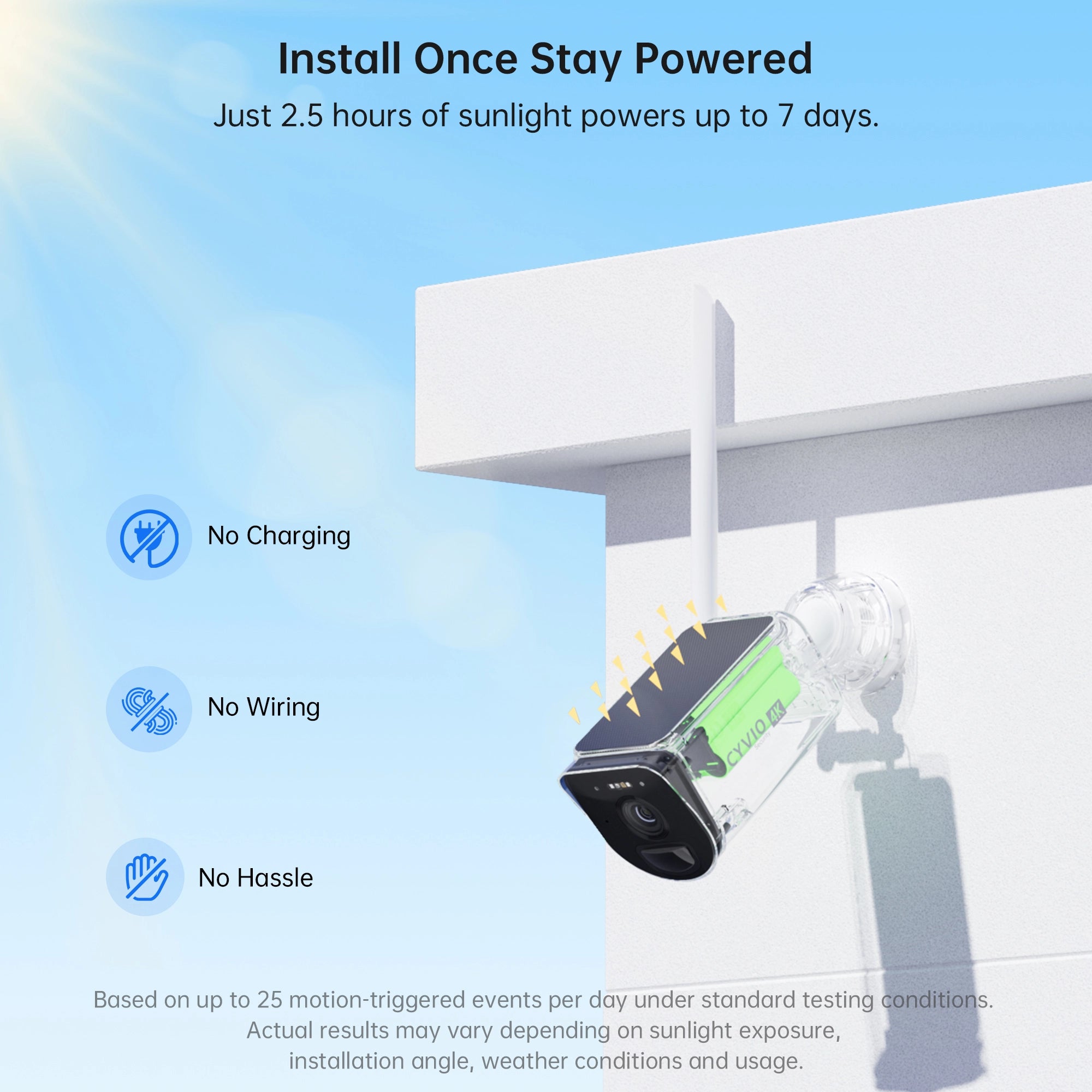
The current CYVIO N1814 system includes:
-
4K / 8MP video
-
11,600mAh rechargeable battery
-
Solar-powered operation
-
900MHz IEEE 802.11ah long-range wireless communication
-
64GB microSD storage included
-
Support for up to eight cameras
-
132° diagonal field of view
-
Two-way audio
-
Person and vehicle detection
-
IP66 outdoor rating
CYVIO states that its N1814 combines an integrated solar panel with the 11,600mAh battery to reduce the need for frequent manual recharging. Its product page also notes that charging performance varies according to available solar input, with more panel exposure providing more energy for the battery.
That makes installation location especially important.
For properties such as:
-
Farms
-
Large yards
-
Detached garages
-
Warehouses
-
Gates
-
Workshops
the camera can be positioned based on the monitoring area, but its solar panel should still receive sufficient sunlight to replenish daily power use.
How Much Sunlight Does the CYVIO N1814 Need?
CYVIO's current product page states that a single solar-panel configuration can provide approximately seven days of power from about 2.5 hours of sunlight under the manufacturer's stated conditions, while its dual-panel configuration is listed as requiring less solar exposure for the same stated energy contribution.
Actual results can vary based on:
-
Sunlight intensity
-
Camera activity
-
Motion events
-
Temperature
-
Live viewing
-
Night vision use
-
Wireless conditions
-
Seasonal changes
So rather than assuming 2.5 hours will produce identical results at every property, use that figure as a manufacturer reference and monitor the real battery behavior after installation.
How to Test a Solar Camera Location Before Permanent Installation
You can perform a simple location test before drilling holes or mounting hardware permanently.
Step 1: Choose the Monitoring Area
Determine what the camera needs to capture.
For example:
-
Driveway
-
Gate
-
Backyard
-
Garage
-
Entrance
Step 2: Observe Sunlight
Check the proposed solar-panel area in the morning, around midday, and later in the afternoon.
Step 3: Look for Moving Shadows
Trees and buildings can create changing shade throughout the day.
Step 4: Temporarily Position the Camera
If possible, test the camera for several days.
Step 5: Monitor Battery Percentage
Check whether the battery:
-
Gains charge
-
Remains stable
-
Gradually declines
Testing for several normal days provides more useful information than estimating sunlight based only on appearance.
How Much Sunlight Is Enough for Different Conditions?
Instead of using these numbers as fixed rules, they can serve as general planning ranges:
4+ Hours of Strong Direct Sunlight
This usually provides comfortable solar input for many outdoor camera systems, assuming appropriate installation and normal usage.
Around 2–4 Hours
This is a common practical range referenced for many solar security cameras and can be sufficient depending on panel output and camera activity.
Around 1–2 Hours
Some efficient systems may operate successfully with this amount, but performance becomes more dependent on the specific camera, battery capacity, panel output, and daily activity. Wyze, for example, specifies approximately one hour for its Solar Cam Pan 2K under normal use.
Less Than 1 Hour or Heavy Shade
Solar charging may be insufficient for many systems, particularly during high activity or poor weather.
Consider changing the panel location or using supplementary charging.
Common Solar Security Camera Installation Mistakes
- Installing the Panel Under an Eave: The camera is protected from weather, but the panel receives very little direct sunlight.
- Facing the Panel Toward the Wrong Direction: The camera gets several hours of daylight but limited strong solar exposure.
- Ignoring Tree Growth: A location that receives sunlight today may become shaded as branches grow.
- Checking Only Summer Conditions: Winter solar exposure can be very different.
- Setting Motion Sensitivity Too High: Unnecessary recording can drain battery power faster.
- Forgetting to Clean the Panel: Accumulated dirt reduces solar energy reaching the panel.
Solar Camera Sunlight vs Battery Size: Which Matters More?
Neither should be considered independently.
A large battery can provide longer backup during cloudy conditions, but if the camera consistently consumes more energy than the solar panel generates, the battery will eventually decline.
Likewise, a powerful solar panel cannot store much reserve if battery capacity is very limited.
A well-designed system balances:
Solar generation + battery capacity + camera power consumption
For example, CYVIO pairs the N1814's solar charging with an 11,600mAh battery rather than relying only on immediate sunlight.
Frequently Asked Questions
- How much direct sunlight does a solar security camera need?
Many models can work effectively with around 2–4 hours of direct sunlight each day, but the exact requirement varies significantly by camera, battery, solar panel, activity level, and environment. Some manufacturers specify approximately one hour for selected models, while others recommend 4–6 hours.
2. Can a solar security camera charge in the shade?
It may generate some energy from indirect light, but charging is generally much more effective in direct sunlight. For more reliable operation, position the solar panel where it receives unobstructed sun for part of the day.
3. Do solar cameras work on cloudy days?
They can continue operating from their rechargeable batteries, while the solar panel may still produce reduced energy under cloud cover. Long periods of cloudy weather can gradually reduce battery levels if energy use exceeds solar input.
4. Does a solar camera work at night?
Yes. Solar cameras use energy stored in their batteries after sunset. The solar panel replenishes that energy during daylight.
5. Can I install a solar camera under a roof?
The camera can potentially be installed in a covered location, but the solar panel needs adequate sunlight. If the system supports a separate panel, place the panel outside the shaded area.
6. Does more sunlight damage a solar security camera?
Outdoor solar cameras are designed to operate in sunlight, but users should follow the manufacturer's specified operating temperature and installation guidance. CYVIO lists an operating range of 0°C to 40°C for the N1814.
7. How do I know whether my solar panel is positioned correctly?
Monitor battery behavior for several days. If the battery remains stable or gains charge during normal sunny conditions, the location is likely providing adequate solar input. A battery that consistently declines may indicate insufficient sunlight or unusually high camera activity.
8. Should I install the camera where the sun is strongest?
Not necessarily. Install the camera where it provides the required view. If your system allows a separate solar panel, position the panel where sunlight is strongest.
How Much Sunlight Does Outdoor Solar Security Camera Need?
So, how much sunlight does outdoor solar security camera need? For many models, around 2 to 4 hours of direct sunlight per day is a useful starting point, but there is no universal requirement. Some cameras can maintain normal operation with less, while others may benefit from 4–6 hours depending on their solar panel, battery capacity, recording activity, climate, and settings.
The most important factor is not total daylight—it is whether the panel receives enough usable direct sunlight to replace the energy the camera consumes.
Before installing a solar camera:
-
Check the location at different times of day.
-
Avoid heavy shade.
-
Consider seasonal changes.
-
Position the panel toward stronger sunlight.
-
Keep the panel clean.
-
Adjust motion detection to reduce unnecessary activity.
-
Monitor battery performance after installation.
For larger outdoor areas, the CYVIO N1814 combines 4K recording, solar charging, an 11,600mAh rechargeable battery, long-range 900MHz wireless connectivity, local storage, and a four-camera configuration designed for locations where traditional wired installation may be less practical.
Ultimately, the right solar camera setup is not simply about finding the sunniest wall. It is about balancing camera placement, solar exposure, battery capacity, and actual daily power consumption so the system can operate efficiently throughout changing outdoor conditions.